Deactivate Auto Blocker (Samsung)
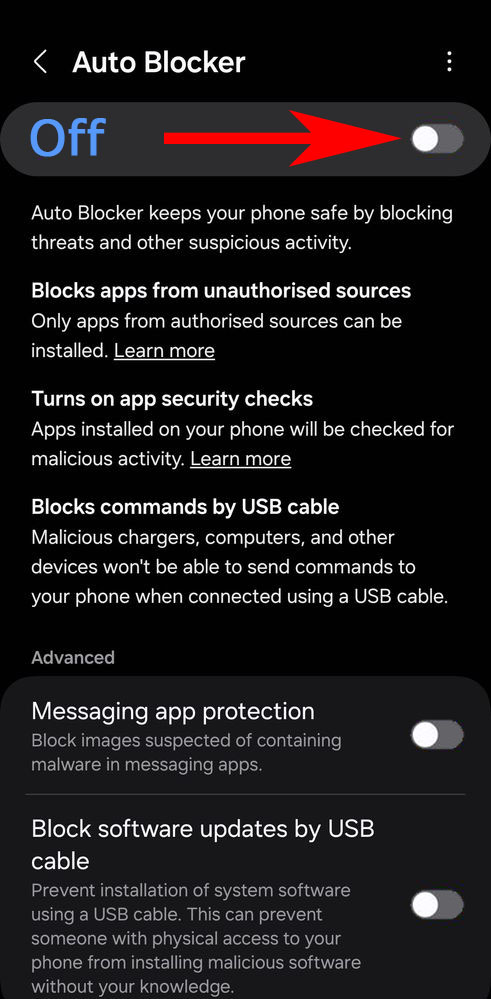
Starting with Android 14, Samsung introduced a new function called Auto Blocker. If this function is activated, then it must be deactivated before Android Spy can be installed. The following tutorial shows how to deactivate the Auto Blocker function.
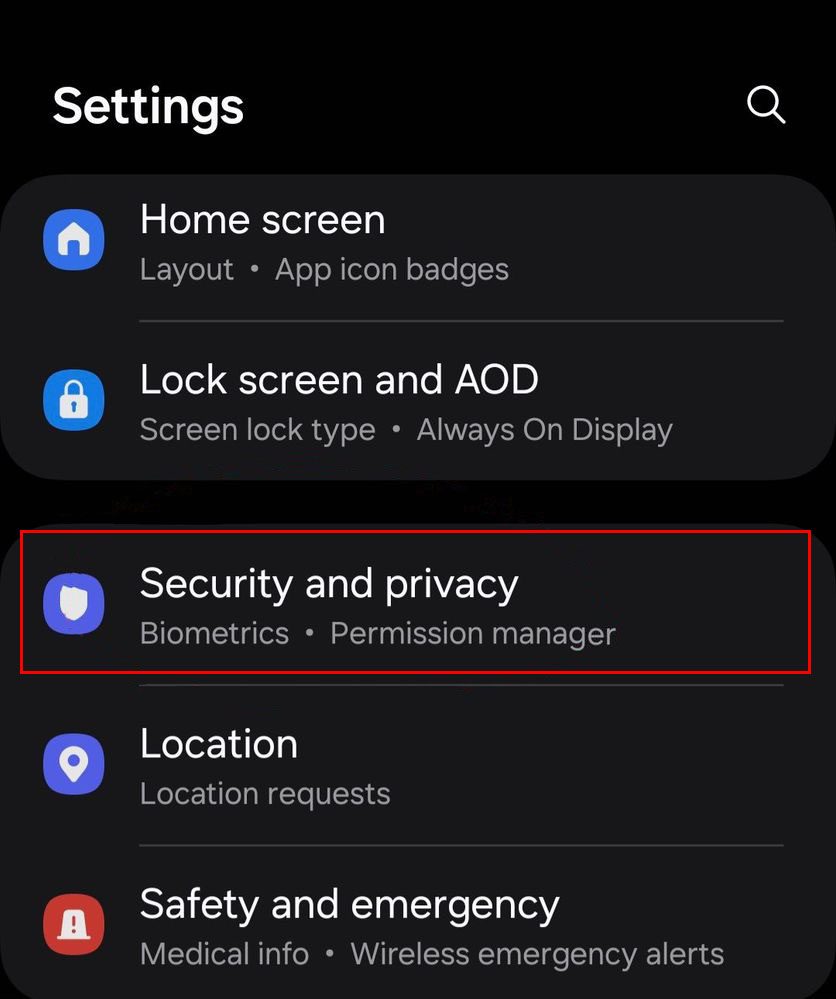
1. Start the device settings and navigate to Security and privacy.
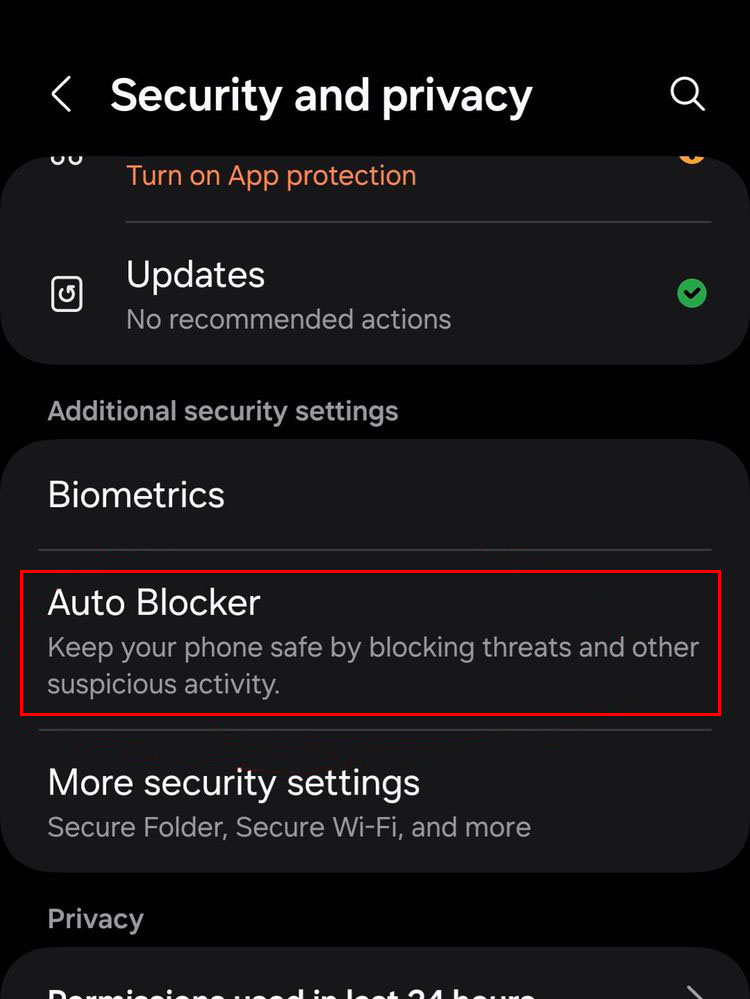
2. Tap on Auto Blocker.
3. Deactivate Auto Blocker.